

This past weekend I participated in a Game Jam and helped to create a neat little game I’m proud of. I wanted to write something about it, because writing to unpack things feels great!
For those who don’t know what a Game Jam is, think short film festival or writing workshop, but for video games. Teams usually have a designated short amount of time to create and submit a totally original game based around an announced theme. Submissions are then judged and awarded on a variety of criteria.
This past weekend was my third (or fourth?) Game Jam, and every time I do one I have a blast! I would encourage anyone who is even slightly interested in making games to seek one out.
Brainstorming and Goals
I was invited to do the jam by a close friend and coworker at Naughty Dog. This was his first one, so I wanted to help make it a good experience for him. We also paired up with a few people seeking a team before the Jam started. We called ourselves “Team Lime Wolf.”

Before the theme was announced, we began brainstorming and writing a Game Design Document (GDD) with what we wanted to make.
My friend and I both grew up with the first Playstation console, which, while it’s probably not my favorite console of all time (GameCube!), it made a lasting impression. In fact, a story I love to tell is how I have a huge, gnarly scar on my knee that I can directly attribute to Crash Bandicoot. I’ve nearly got my revenge on that orange menace now that I work for Naughty Dog…I just haven’t found his cubicle yet.
Anyway, I had found this super cool asset pack that would help give games built in Unreal Engine 4 a PS1 look and feel. It was already on my radar as something I would like to mess around with, so this Game Jam was a great excuse to finally use it.
Based on our conversations, we felt like the games most associated with the PS1 era (and our favorite games) were 3D character platformers. Games like Crash Bandicoot, Spyro The Dragon, and my personal favorite, Croc: Legend of the Gobbos. So, we needed to come up with our main characters that would have similar qualities as the classics. Like almost everyone else, we both spent a lot of time with our pets this past year. Naturally, our two main characters became Purcival Pounce the cat burglar (based on my cat, Ser Pounce) and Detective Noruff Nyx (based on my friend’s dog, Nyx).
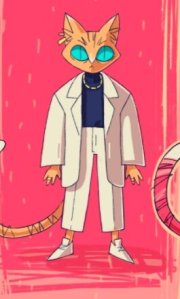
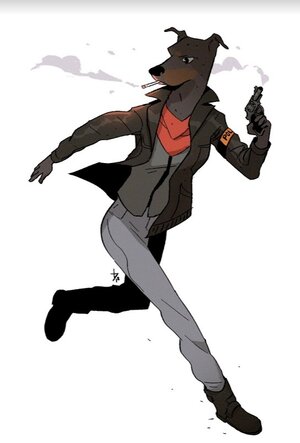
Reference images to base our characters on
We kept the game structure idea loose, since we wouldn’t know what the theme of the game was until the Jam began, but we figured you would play as Pounce attempting to steal something from Detective Nyx. It felt like a pretty great setup for a 3D platformer of yore.
Next, we talked about what each of our goals were for the jam or roles we wanted to be in. Personally, I knew my own bag of game design tricks was lacking any sort of animation skills. I had messed around with Macromedia Flash (RIP) back in middle school, but nothing beyond that. So my goal was to learn about rigging and animating 3D characters. Luckily with our chosen aesthetic being low-poly PS1 style, I had a nice crutch of calling any rough animation I made a “nod to the era.” Additionally, I would help out with the overall game design and the scripting of level mechanics.
I began running through animation tutorials on youtube during the week before the jam. The most useful I found for my personal focus were these three for Rigging, Walk Cycles, and Run+Idle Cycles. Once I got those under my belt, I felt like I had a decent enough understanding to do all the animations of our game.
Finally, last Friday at 4 PM the theme was announced and we were free to begin! I didn’t get off work until 7 and it was the end of an extremely stressful week…so, naturally, I looked like a 7th grader staring at a clock hoping that somehow my intense gaze would push time along at a quicker rate so that I could leave the dumb school to go sit on the field of the same school for 3 hours until it got dark. Oh yea, the theme was “Better Together.” Just vague enough for teams to interpret it in different ways, and yet specific enough to base a game around. As we say in the biz, “that’s perfect” (you’d be surprised how often this phrase is applicable).
Two paws, together at last
Our first conversation after the theme was announced was how to build mechanics around “Better Together.” The first thought would be to play the first half of the game as Pounce, and the second half as Nyx, each having their own set of traversal mechanics. This conversation grew for awhile, and we eventually landed on pairing up the main characters to work together. We liked the idea of each character having a unique set of traversal skills and decided that the level would require the player to bounce between each character in order to progress.
So, while those mechanics were being worked on, I set out to animated our two main characters and an enemy type. I had a list of animations needed for each and set out to create them. Here are some of my favorites:
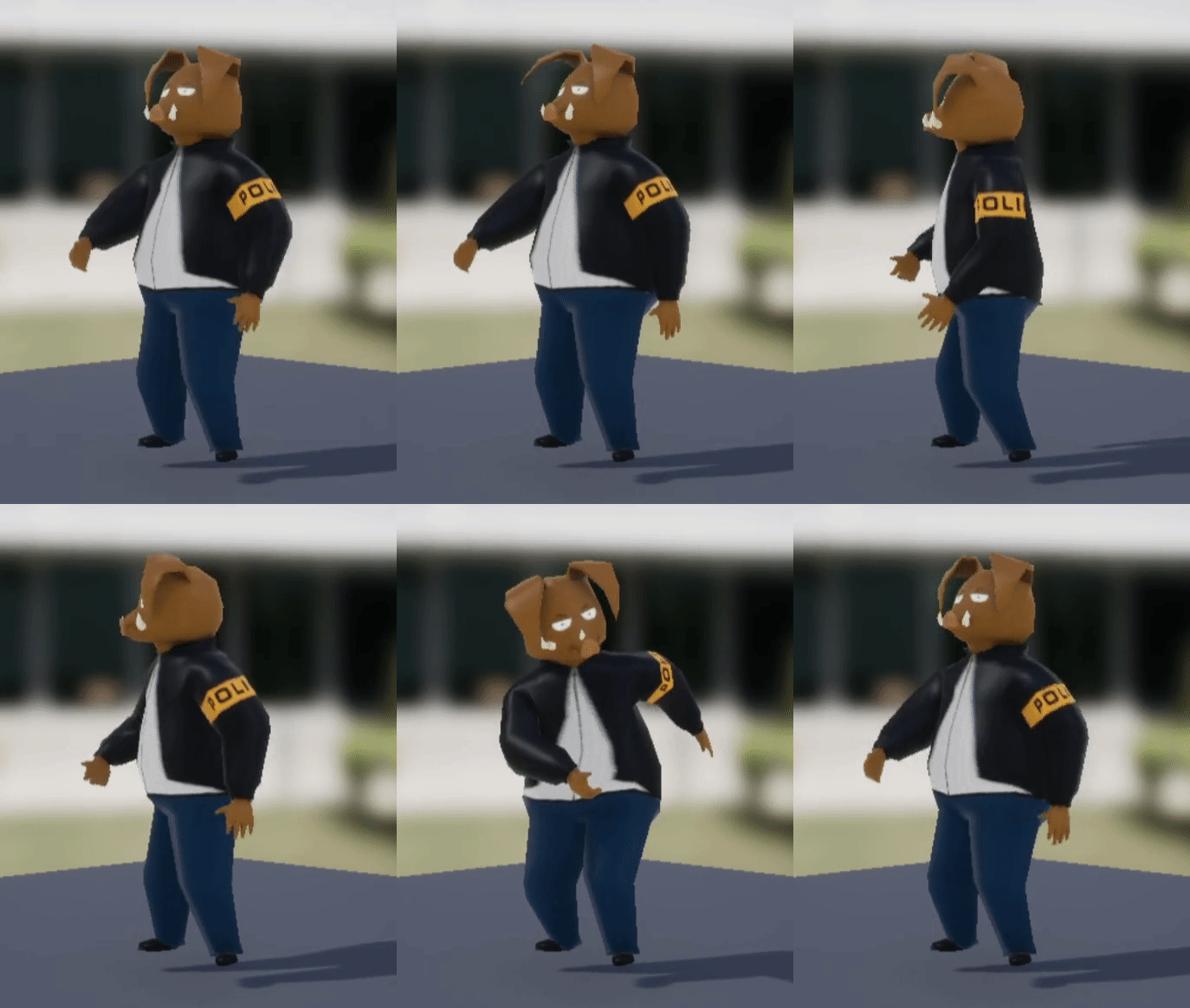
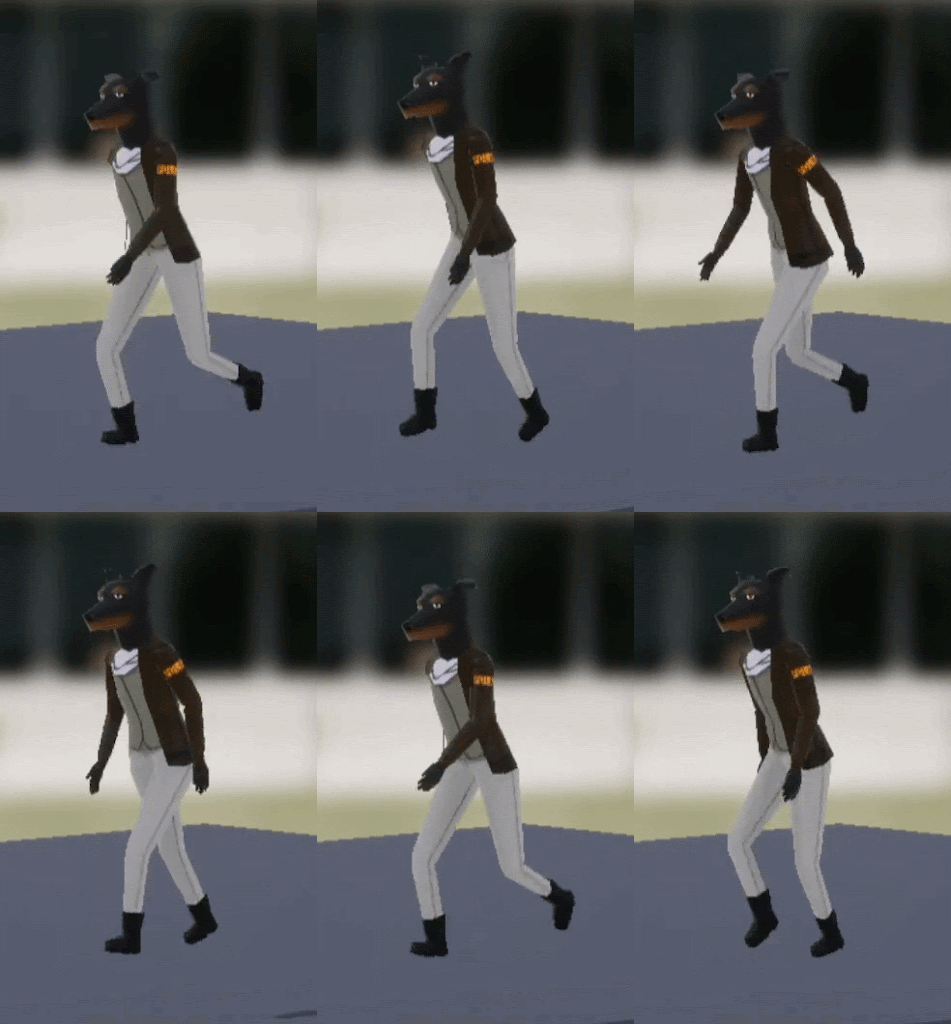
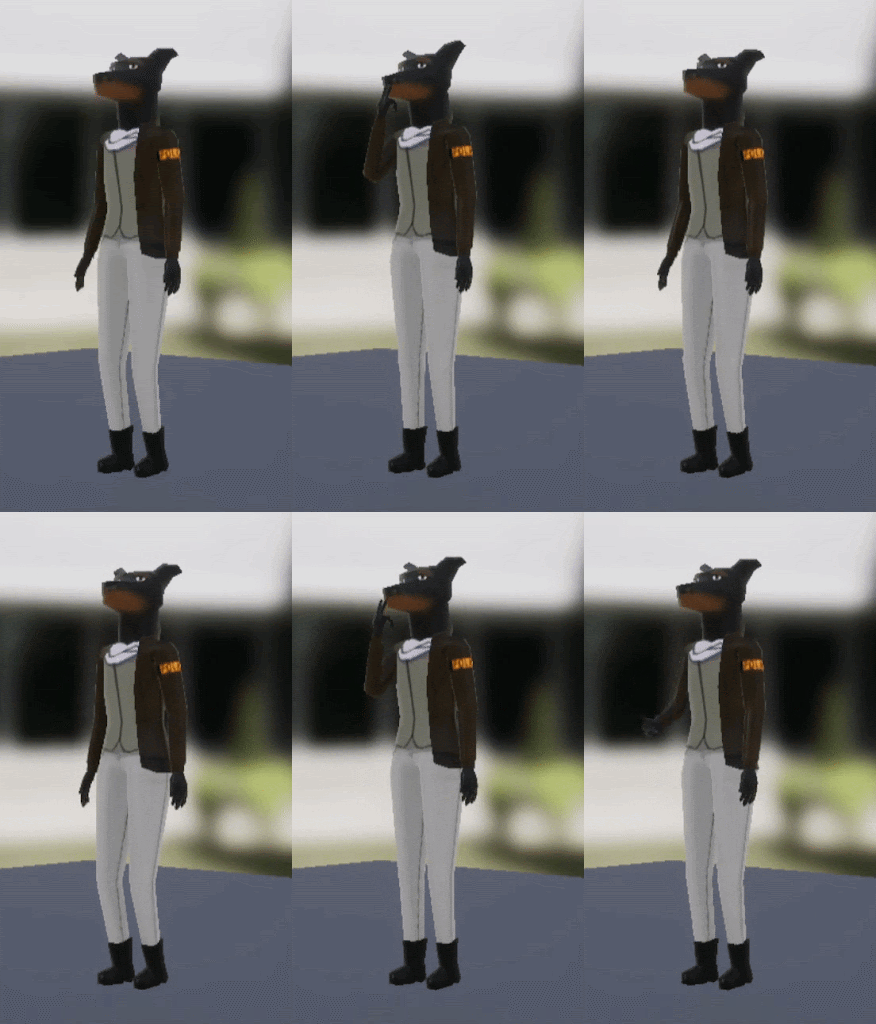
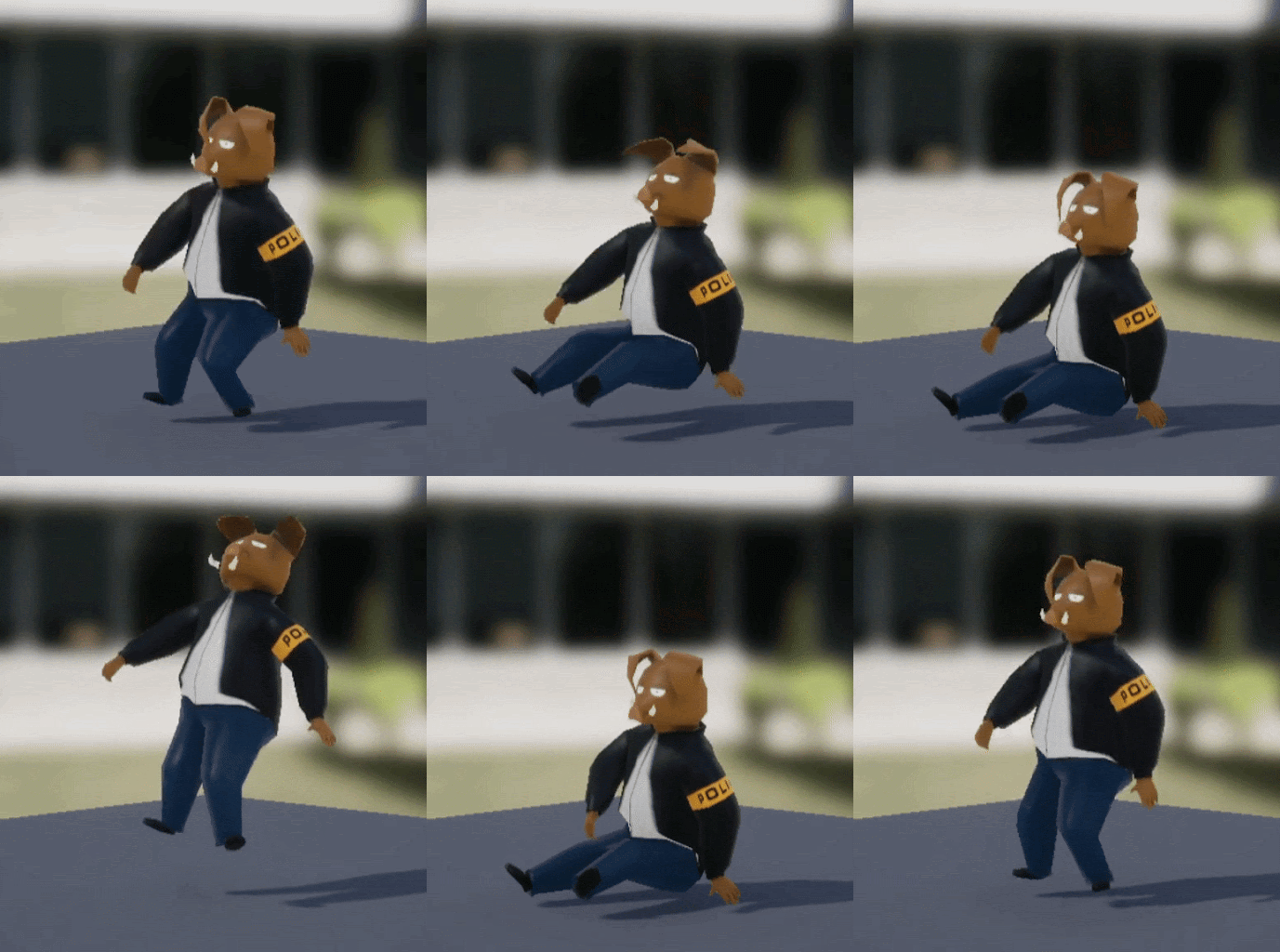
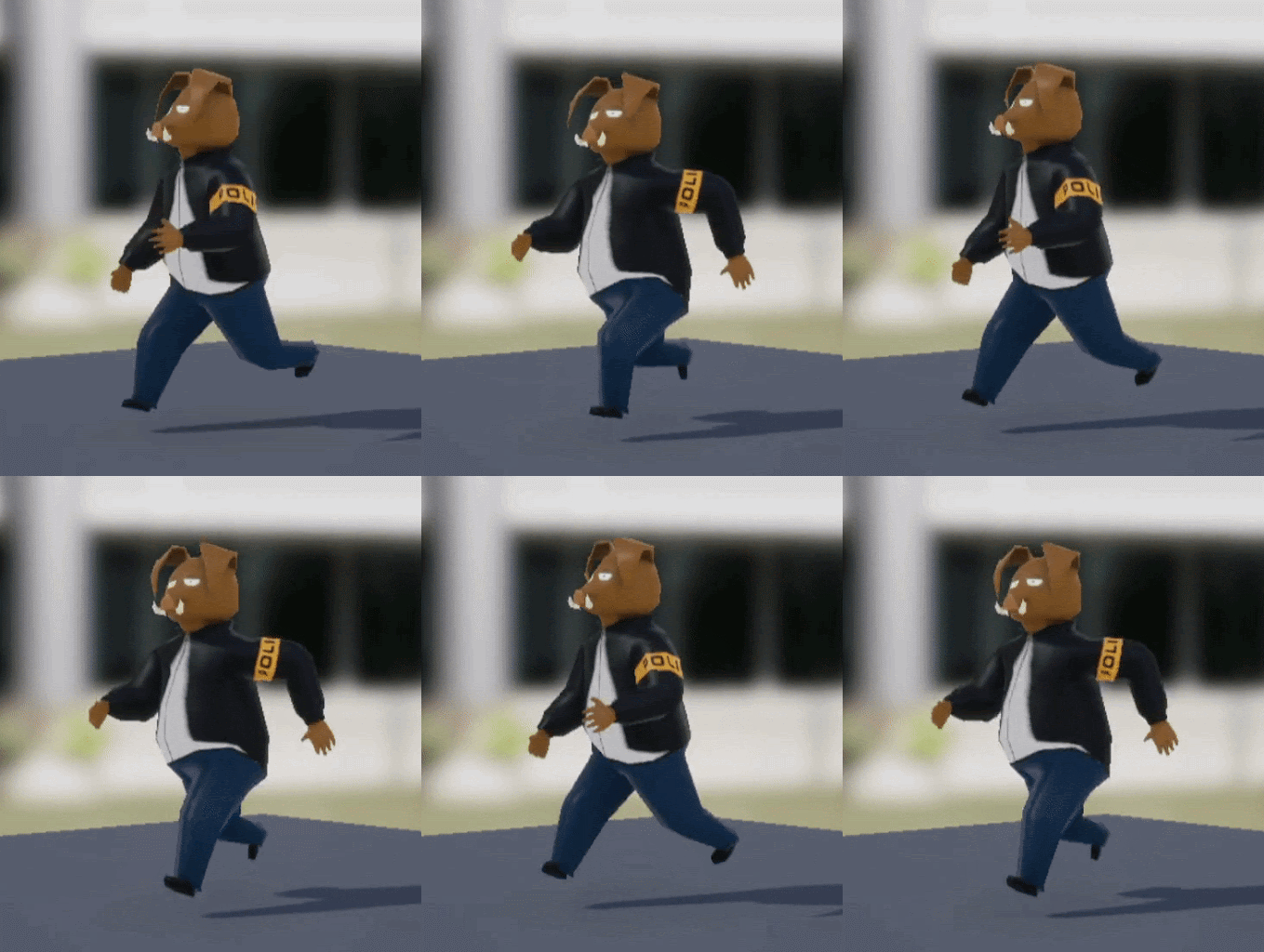
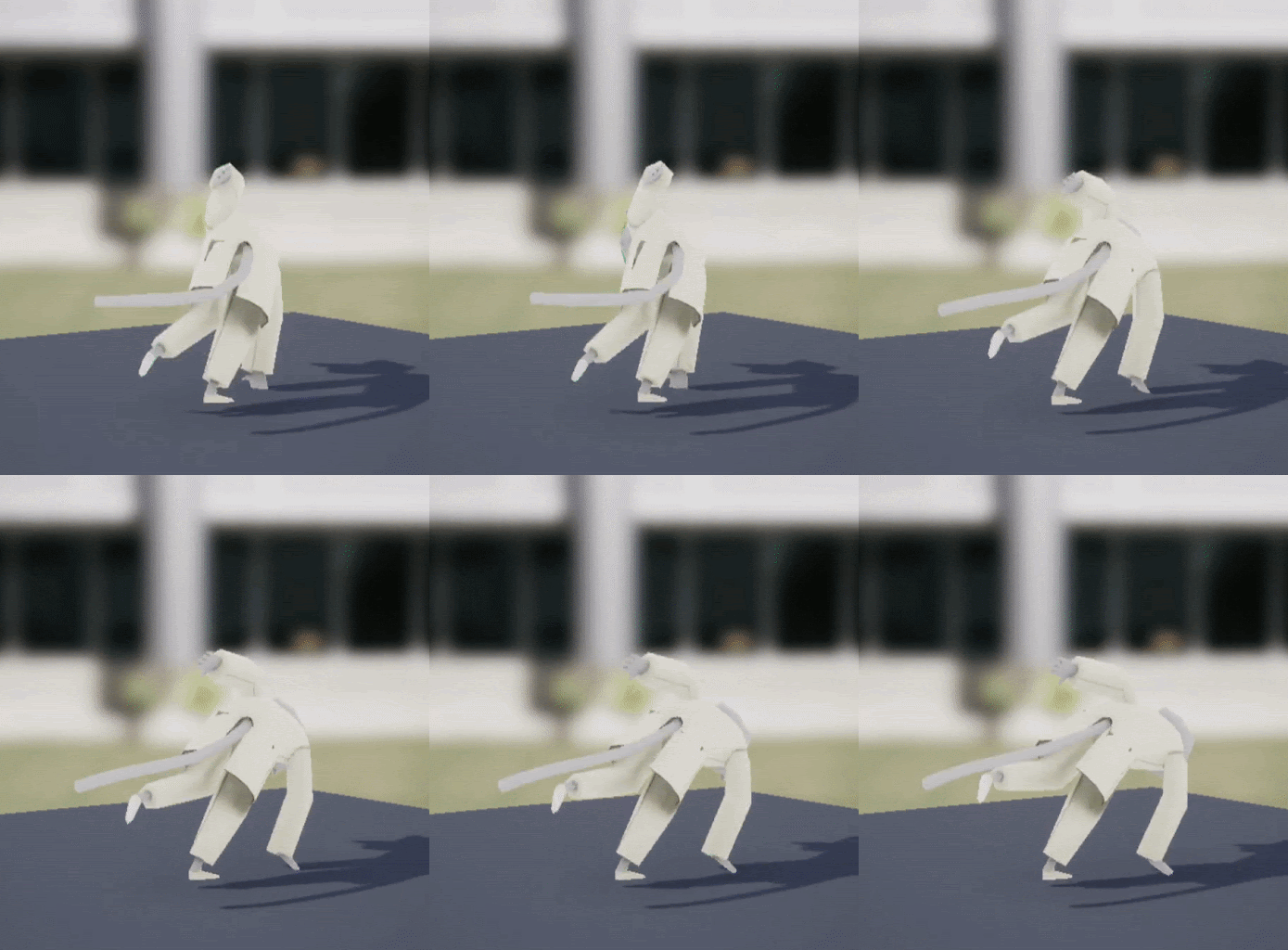
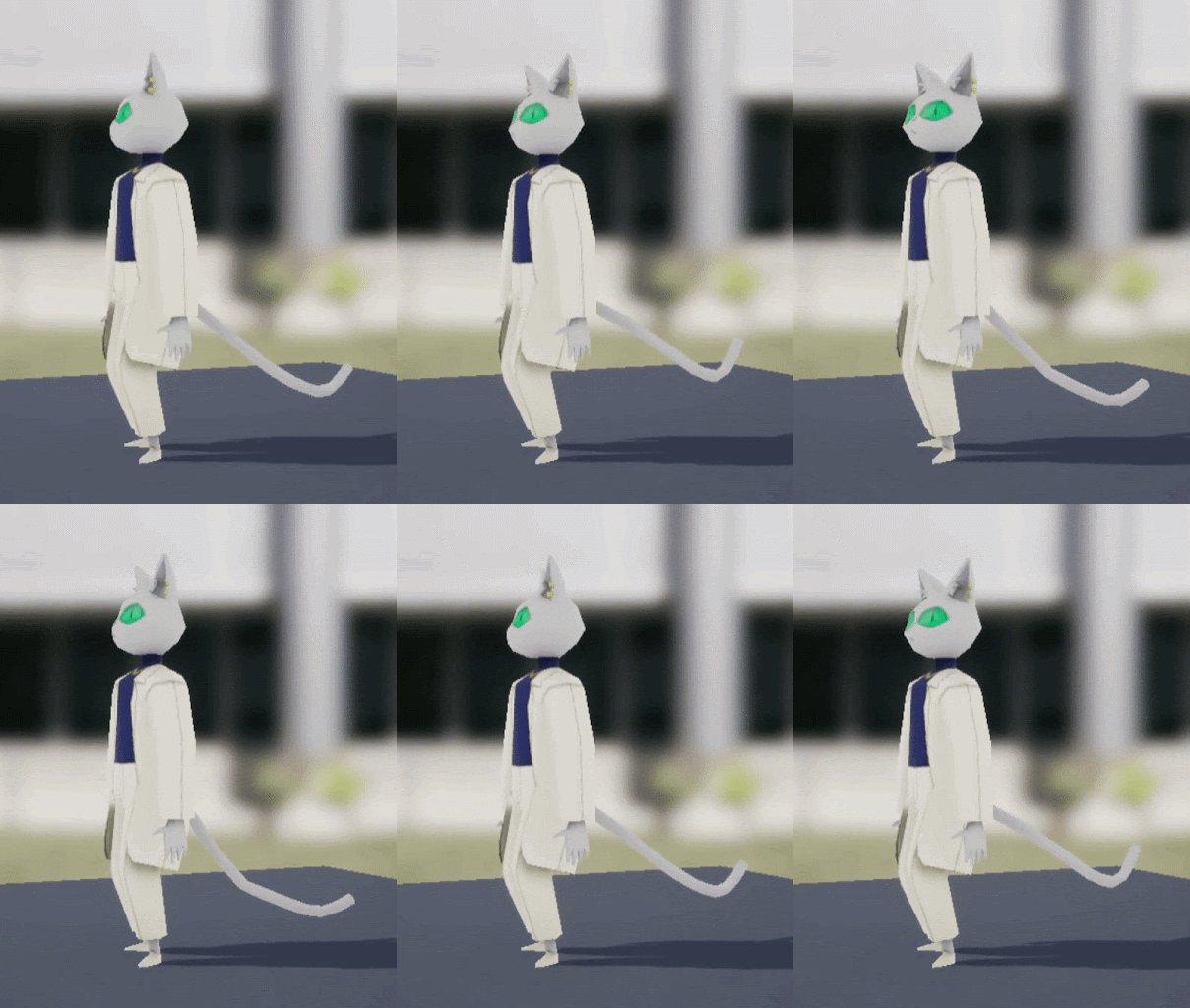
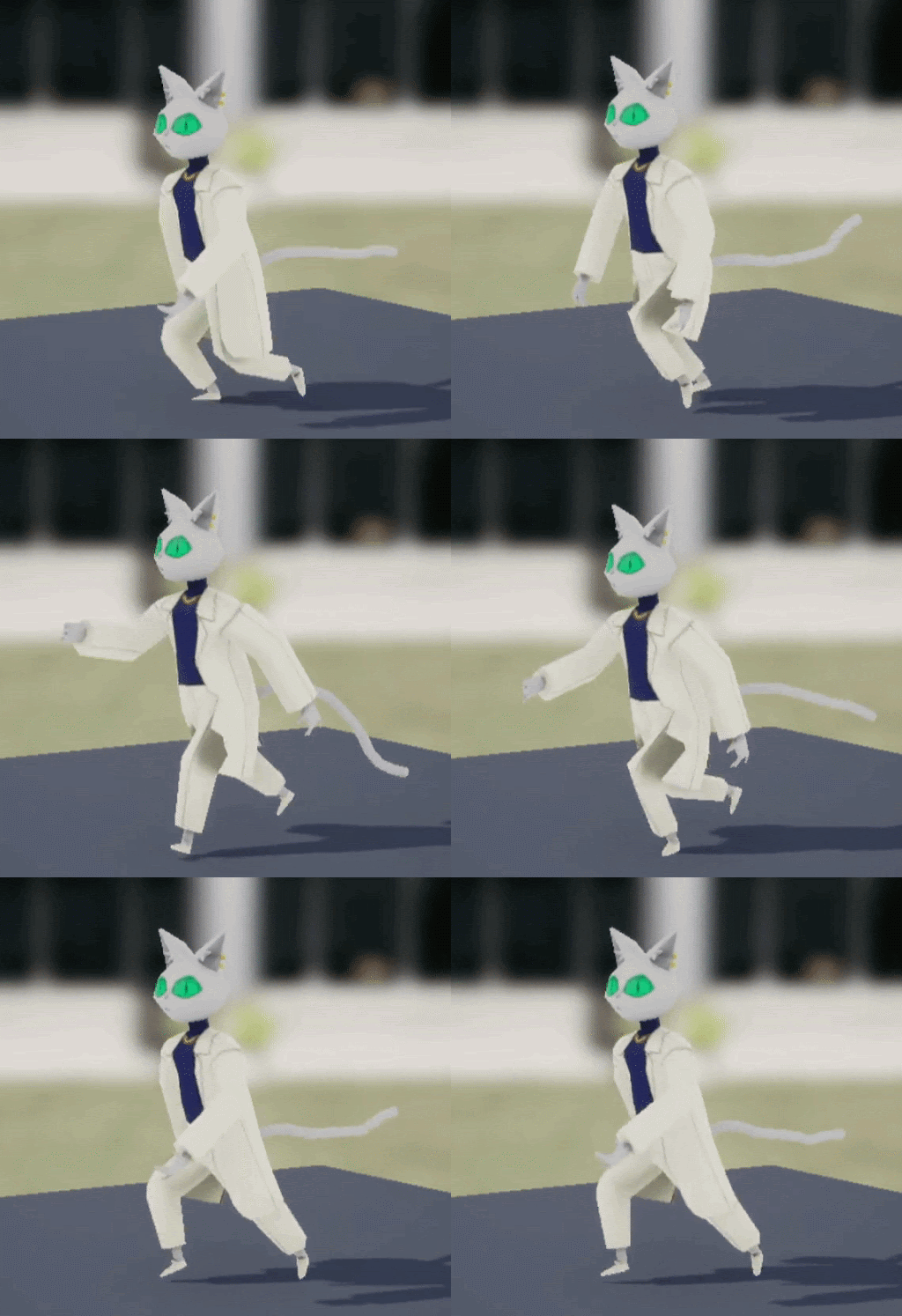
Again, I’m going to attribute the roughness of my animations to it being an aesthetic choice, and not at all to the humbling experience of realizing how fucking hard it is to animate. With that said, I had a bunch of fun working on these, especially on the flappy ears of the Boaris Bros and Nyx. After I figured out the arms, legs, and body motions, I loved putting final touches on making ears bounce around. Very satisfying.
Stick to the script
After those were done I moved on to helping out with level scripting. Now, I’m going to share some blueprint logic on here, but a warning to the reader: to those unfamiliar with Unreal Engine 4 Blueprinting, this all may sound and look like nonsense…and to those who are familiar with blueprinting, this will also sound and look like nonsense. I pride myself on figuring out scripting solutions in the most overly complicated ways. This is not something I actively pursue, but damned if I always find a way to make an overly complex solution to a simple problem. You have been warned.
Security Doors
The first nut I had to crack was creating a security door that could only be opened by Nyx. Pretty straight forward, but I did run into some hurdles. I will walk through the final logic here and save you from the many iterations that didn’t work.

Step one would be located in the Level Blueprint. This is essentially a block of code tied to the level currently loaded. It’s useful for initializing actors and spawning things in. However, I decided to have it run logic any time the player hit the “Attack” button (left mouse click). Normally inputs should be tracked in player-controller blueprints, but I thought this was the easiest route when having multiple security doors and multiple characters the player can control.
Once that input is released, we use the “Get All Actors of Class” node to search for every security door in the level (BP_SlidingDoor). This creates an array (list) of all the doors we have placed.
Next, we enter a For Each Loop using the array of security doors we just created. For every door, the next node of logic will be completed. So, if we have five doors, we would send the “Move Door” event once to each door.
Now, remember that “Move Door” event we send over to the security door. It will come up again, but first, take a look at the door in the viewer.

The button to open the door is the bright yellow cube in the middle. The door that will slide is to the right of that. The transparent box that is highlighted is the area I deem “close enough” for the player to be in order to activate it.

When a player is inside that transparent box, we call the event, “On Component Begin Overlap.” When this happens, we first pull some information from whatever is now overlapping with the box (remember, the software has no way of knowing if a player just entered, or if something else did). So with that information, we identify the class (type of object) it belongs to. And with that, we see if it equals the character of Nyx (BP_Nyx). If it does not equal Nyx, it will cause the Branch node to run whatever comes out of “False,” which is nothing. If it is Nyx, it will then set a boolean variable I created called “InZone?” to be true.
Not shown, but when anything leaves the transparent box, it will reset the “InZone?” variable to false.

Now, finally back to that “Move Door” event I told you to remember. So, when the level calls the event, we first check on our InZone? boolean. If it’s false, we stop there. If it’s true, and Nyx is near the door, then we go on to check if the boolean “Opened?” is true or false. This is to see if this door has already been opened or not. We only continue our code if it’s false.
Next, we want to set “InZone?” to false right away. This will prevent the player from clicking the attack button multiple times and causing the door to reset.
We then use a Timeline node to animate our door opening. This repeatedly runs a small section of code for a given time and then stops. It also gives a value between 0 and 1 for how far along in that given time we are. So, we have it set the Relative Location (where it is in the world) of the door every frame for two seconds. This location changes depending on where that value between 0 and 1 is. We use a Lerp node (Linear Interpolation) combined with this value to change the location between where the door currently is, and where the final location is.
And finally, we set the “Opened?” boolean to true, so that the code on this door can’t be activated again.

Alright, I think that’s it for this post. I could go into every detail of every blueprint I wrote, but that would get dull quick.
We do plan on refining this game a bit to achieve our full vision of what it could be. Unfortunately, we hit the 48 hour mark and had to upload what we had made. But Purcival Pounce and Noruff Nyx have too much potential!
If you would like to give the first version a try, you can download it for Windows here. Hopefully soon we will provide a much cleaner game.
 Tyler Hillis
Leave a comment